N 301 Hawaii PDF Form
Frequently Asked Questions
-
What is Form N-301?
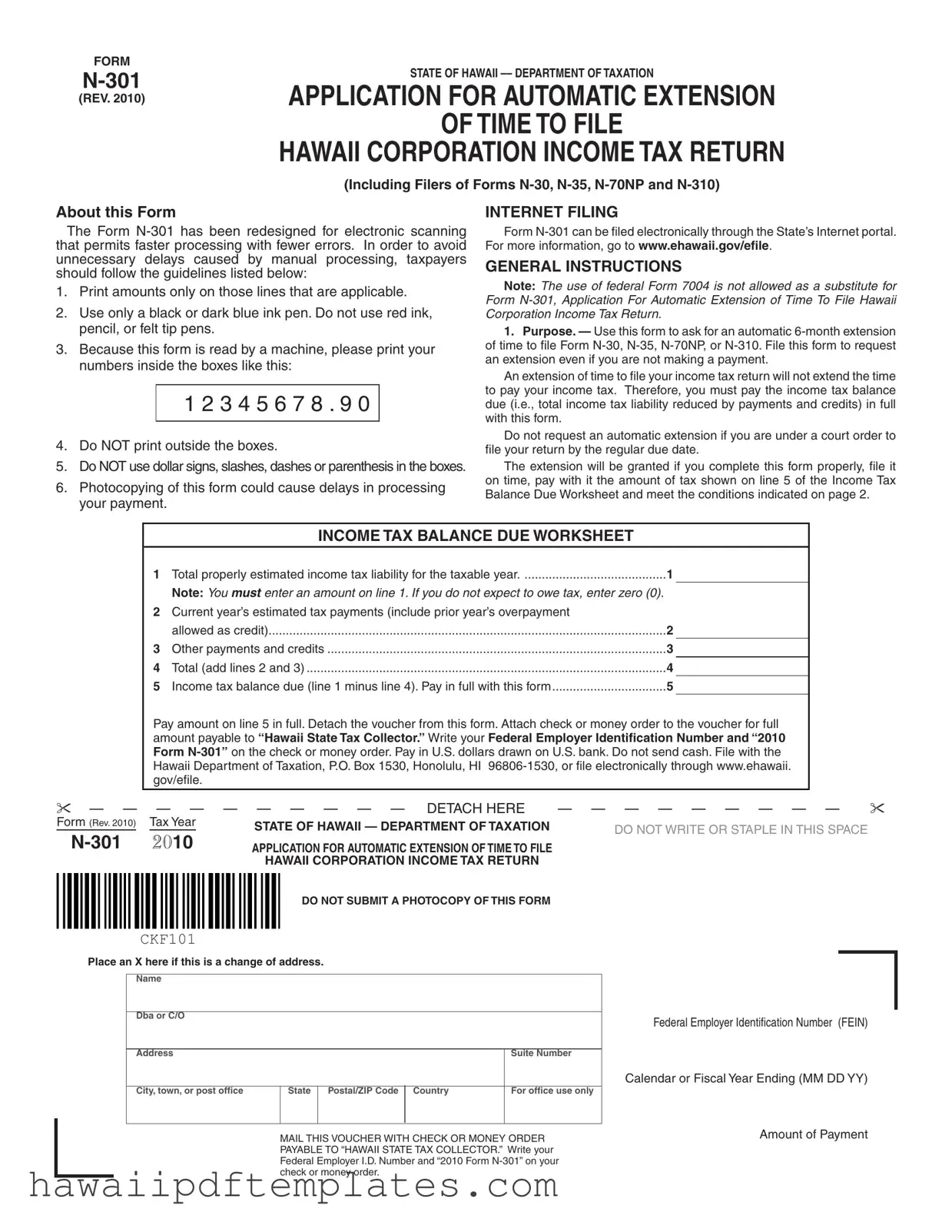
Form N-301 is the Application for Automatic Extension of Time to File Hawaii Corporation Income Tax Return. It is specifically designed for corporations filing Forms N-30, N-35, N-70NP, and N-310. This form allows taxpayers to request an automatic six-month extension to file their income tax returns.
-
Who should use Form N-301?
This form is intended for corporations that need additional time to file their Hawaii income tax returns. It is important to file this form even if no payment is being made. However, it is not suitable for those under a court order to file by the regular due date.
-
How do I file Form N-301?
You can file Form N-301 by mailing it to the Hawaii Department of Taxation at P.O. Box 1530, Honolulu, HI 96806-1530. Alternatively, it can be filed electronically through the State’s Internet portal at www.ehawaii.gov/efile.
-
What are the payment requirements when filing Form N-301?
When filing Form N-301, you must pay the income tax balance due as indicated on line 5 of the Income Tax Balance Due Worksheet. This payment should be made in full and included with the form. Payments should be made by check or money order payable to “Hawaii State Tax Collector.”
-
What happens if I don’t pay my tax balance with Form N-301?
Failure to pay the tax balance when filing Form N-301 may result in penalties and interest. The extension does not extend the time to pay taxes owed, and interest will accrue on any unpaid taxes starting from the prescribed due date.
-
What are the penalties for late filing or payment?
If you do not file your return on time, a penalty of 5% per month on the tax due may be assessed, up to a maximum of 25%. Additionally, if you fail to pay the tax within 60 days of the due date, a 20% penalty may apply on the unpaid tax.
-
Can I file for a consolidated return using Form N-301?
Yes, a parent corporation can request an automatic extension for itself and its subsidiaries by filing one Form N-301. However, you must include the names, addresses, and Federal Employer Identification Numbers of each subsidiary on an attachment to the form.
-
What should I do if I need to make changes to my Form N-301?
If you need to make changes, it is advisable to contact the Hawaii Department of Taxation directly. Keep in mind that any changes should be made before the due date of the return.
-
How can I obtain tax forms and publications?
You can request tax forms and publications by calling 808-587-4242 or toll-free at 1-800-222-3229. Additionally, many forms are available online at the Hawaii Department of Taxation's website: www.hawaii.gov/tax.
-
What should I do if my extension request is rejected?
If your extension request is rejected, you will receive a notification from the Department of Taxation. Common reasons for rejection include late submission or failure to file a separate request for each type of tax.
Popular PDF Forms
Dhs 1127 - Disabilities are classified as either permanent or temporary on the form.
When preparing important legal documents, the process of filling out a Power of Attorney form properly can greatly influence the outcome. A thorough understanding of how to create a well-structured document, including a detailed overview of its implications, is beneficial. For more insights, check out this resource on preparing a valid Power of Attorney.
Hawaii T1 - Make sure to include the full name of the trade name in your application.
Steps to Writing N 301 Hawaii
After gathering the necessary information, you can begin filling out the N-301 form. Follow the steps carefully to ensure that your application for an automatic extension is processed without delays. Make sure to provide accurate details and submit the form on time.
- Print your corporation’s name and address in the designated fields.
- Using a black or dark blue ink pen, enter the Federal Employer Identification Number (FEIN) in the appropriate space.
- Indicate the end date of the tax year in the specified format (MM DD YY).
- If making a payment, enter the amount in the payment space. If no payment is being made, enter “0.00.”
- Make a photocopy of the completed form for your records, but do not submit this copy.
- Detach the voucher portion of the form where indicated.
- Attach your check or money order, payable to “Hawaii State Tax Collector,” to the front of the voucher.
- Write your FEIN and “2010 Form N-301” on the check or money order.
- File the completed form with the Hawaii Department of Taxation at the specified address or electronically via the state’s Internet portal.
Misconceptions
- Misconception 1: Form N-301 automatically extends the time to pay taxes.
- Misconception 2: You can use federal Form 7004 instead of Form N-301.
- Misconception 3: Photocopies of Form N-301 are acceptable for submission.
- Misconception 4: Filing Form N-301 guarantees that your extension will be approved.
Many people believe that filing Form N-301 gives them extra time to pay their taxes. This is not true. While the form does provide an extension for filing the tax return, it does not extend the deadline for paying any taxes owed. Taxpayers must pay the full balance due when submitting the form to avoid penalties.
Some individuals think they can substitute federal Form 7004 for Form N-301. This is incorrect. Hawaii has specific requirements, and using the federal form is not allowed. Always use Form N-301 when requesting an extension for Hawaii corporation income tax returns.
Another common belief is that submitting a photocopy of Form N-301 is acceptable. However, this is false. The form must be submitted as an original document. Photocopies can lead to processing delays, so always use the original form when filing.
Some taxpayers assume that simply filing Form N-301 guarantees approval of their extension request. This is not the case. The extension will only be granted if the form is completed correctly, filed on time, and any estimated tax balance is paid. Failure to meet these conditions can result in rejection of the extension.